
The soil moisture gauge is a feature that allows you to set field water capacity, refill and stress level points and have these reflected as a 'soil moisture gauge' on the left hand side your graph.
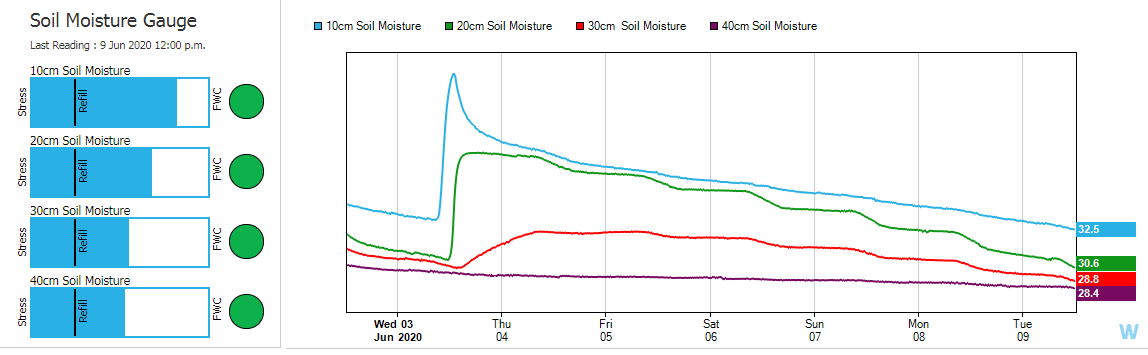
Follow the below steps to apply the soil moisture gauge to your graph.
-
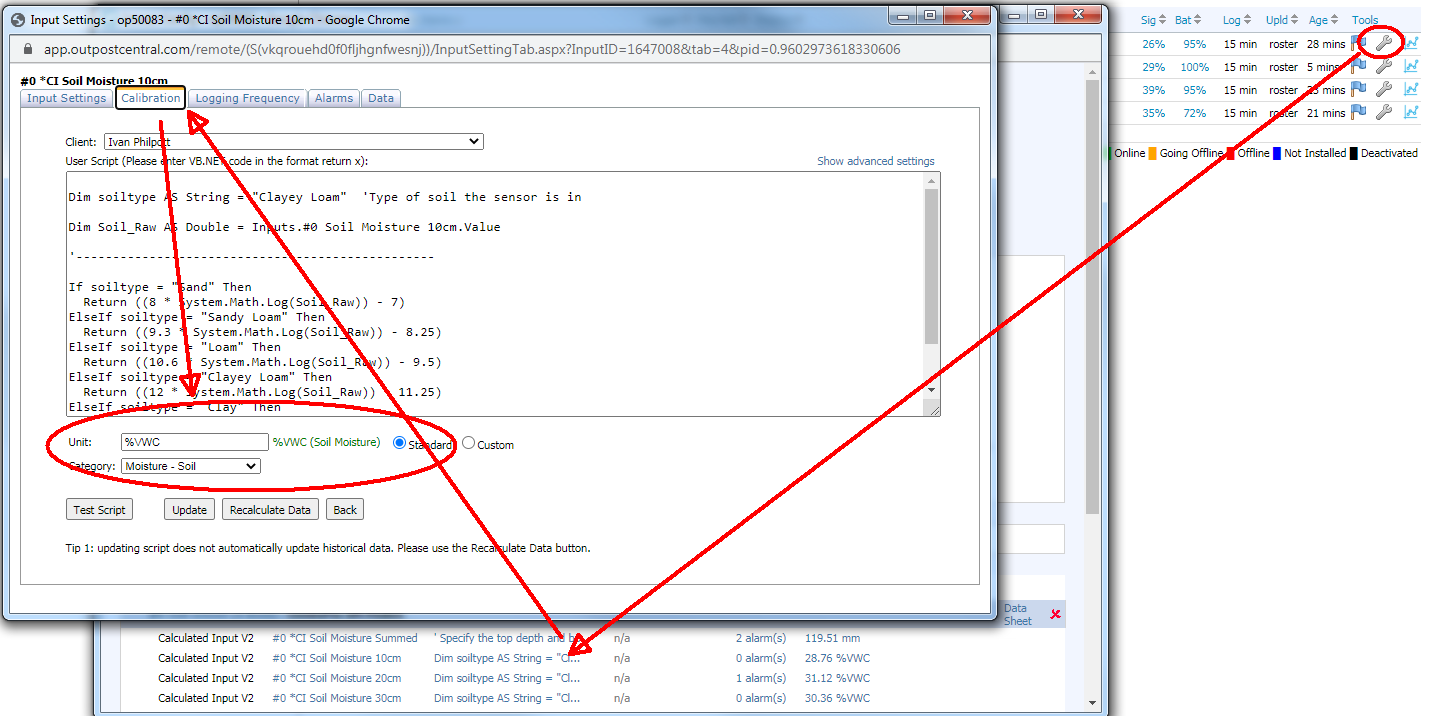
Check your soil moisture data is calibrated to %VWC (you will need to be logged in at admin level)
-
Go to the sites list within your login and select the spanner icon on the site the graph relates to
-
Click on the calibration of the soil moisture data
-
As shown below, select standard, enter %VWC as the unit and soil moisture as the category and then select update
-
Repeat this for every level of soil moisture
-
-
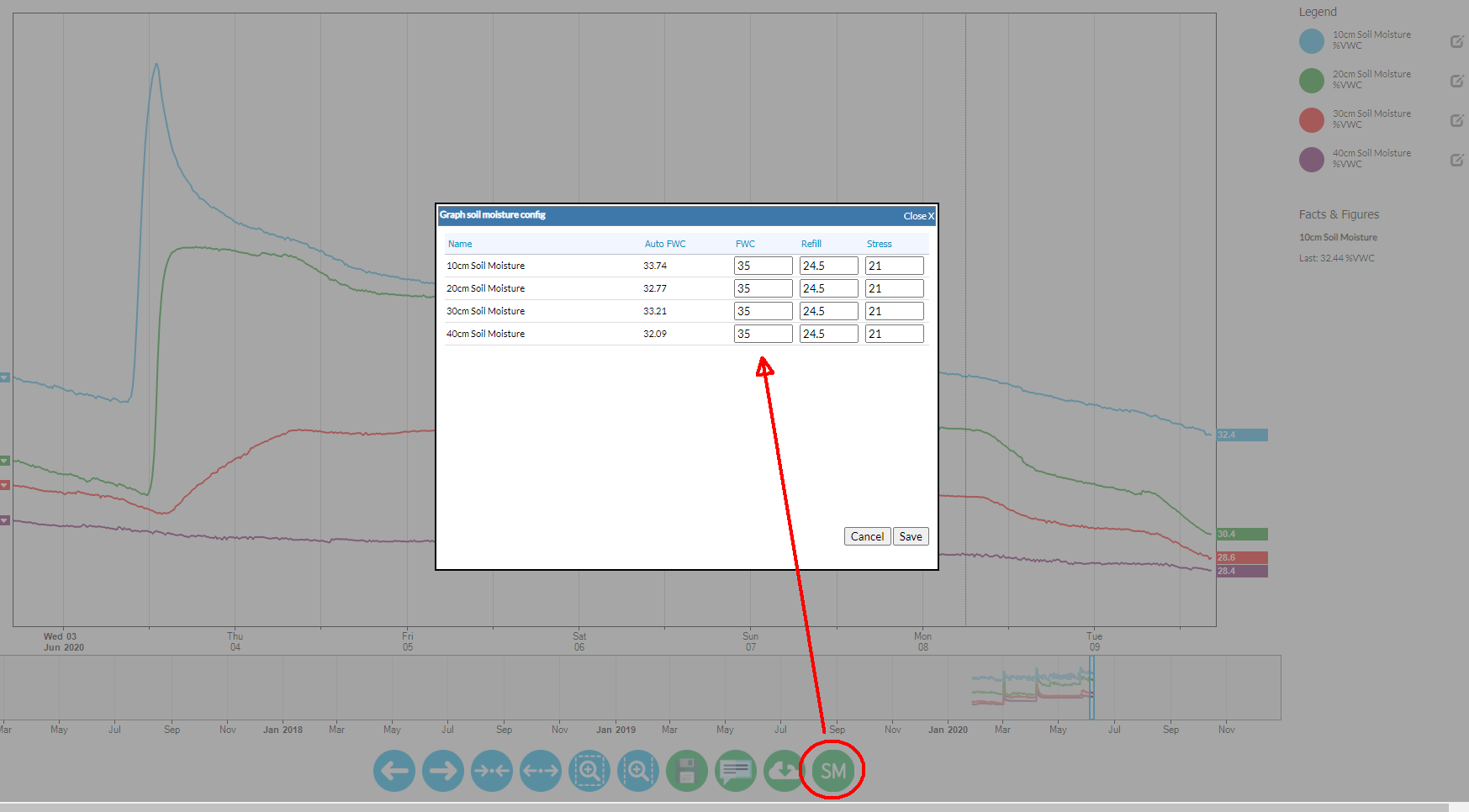
Enter your refill, full and stress levels.
-
Select the graph you would like the soil moisture gauge applied and click on it to bring the graph into interactive mode
-
Select 'SM' down the bottom of the page. This brings up the below pop up where you can enter your FWC (field water capacity), refill and stress values
-
Hit save. Ensure you also save the graph after saving your soil moisture gauge values
-
You will now have the soil moisture gauge applied to your graph. Please note that the values can be changed at anytime and should be constantly reviewed.